Prerequisites
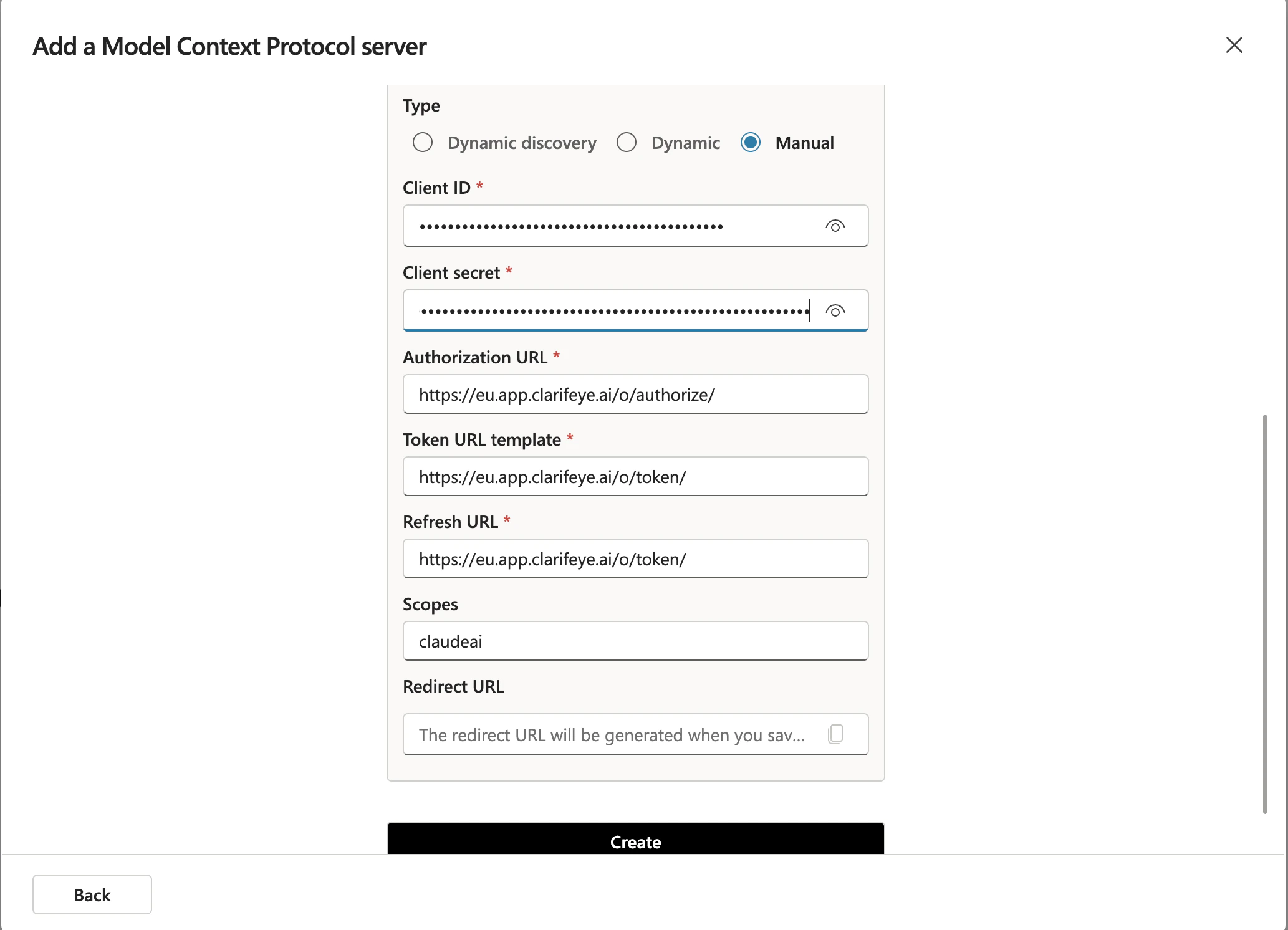
- A Clarifeye knowledge store with your MCP Server URL from the Deploy tab (see overview). The Advanced setup also requires your Client ID and Client Secret from the same tab.
- A Microsoft 365 Copilot license.
Step 1: Set up the MCP server
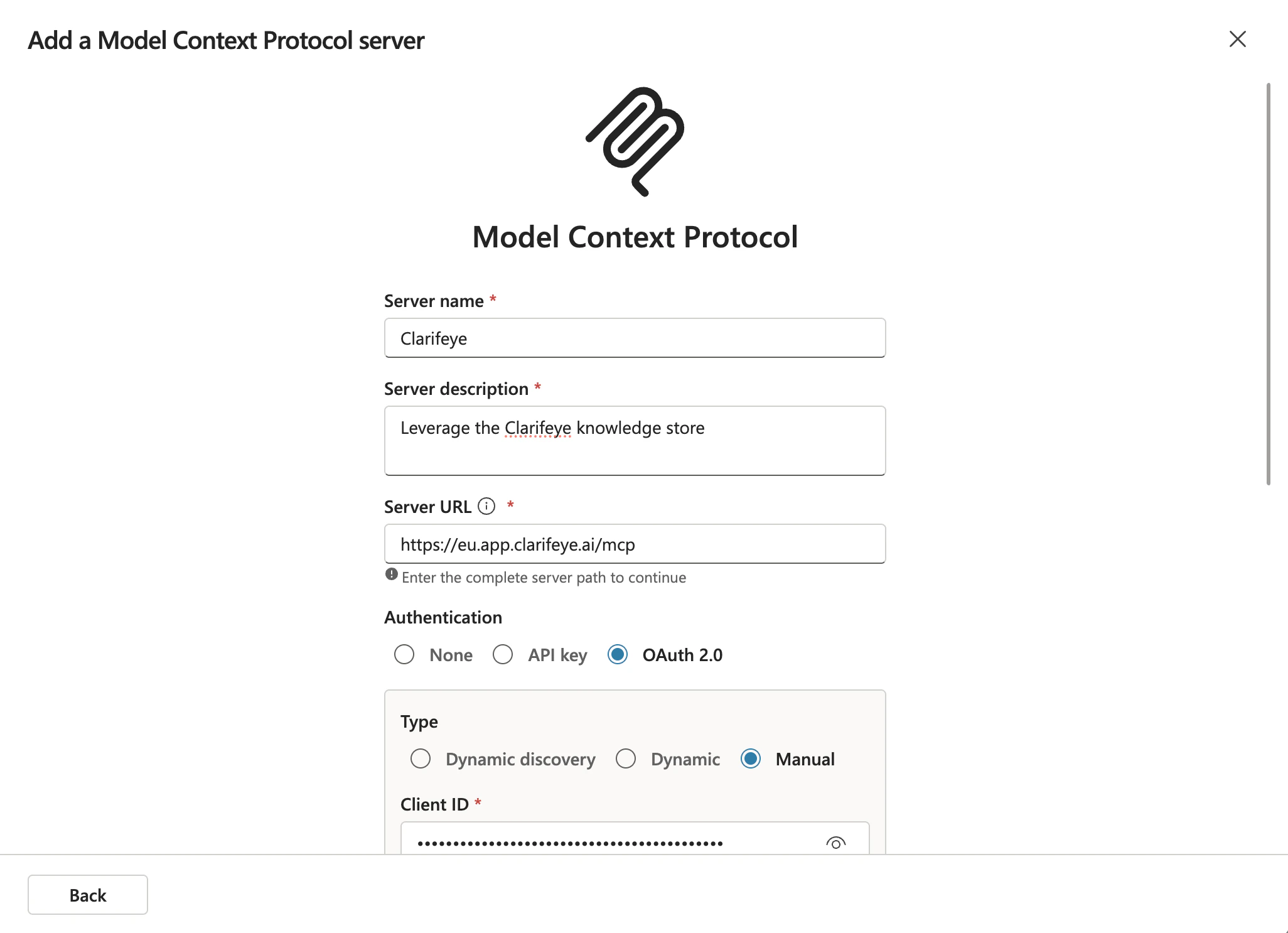
In Microsoft Copilot, go to Tools and click Add a tool > MCP. Choose one of the two setup paths below.- Default (recommended)
- Advanced
Fill in the server details:
- MCP URL: Your MCP Server URL (e.g.
https://eu.app.clarifeye.ai/mcp) - Name:
Clarifeye - Description:
Leverage the Clarifeye knowledge store